


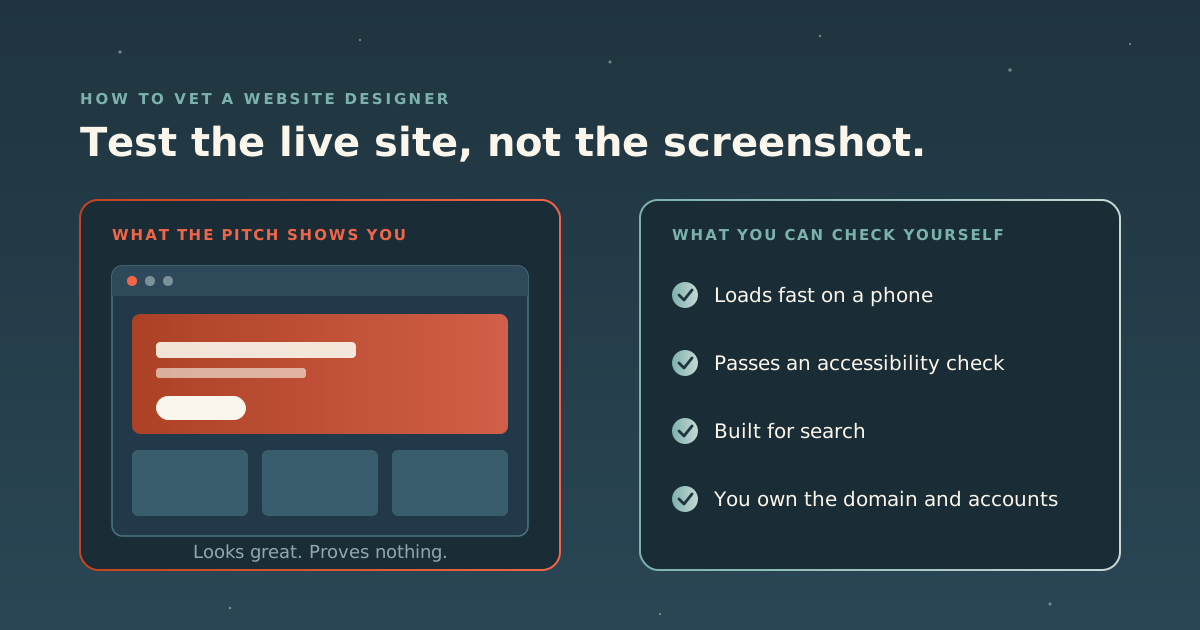
Most people hire a web designer the same way they pick a restaurant: scroll the photos, pick the prettiest. The trouble is that a website’s biggest problems don’t show up in a screenshot. Slow loading on a phone, a site that a screen reader can’t use, pages search engines can’t make sense of, a domain registered in someone else’s name. You find those out after launch, when they’re expensive.
The good news is that you can check most of it yourself, for free, before you sign anything. This is the process. It’s the website companion to our guide on how to vet a marketing agency, which covers engagement models and reading case studies, so we won’t repeat those here.
We’re a studio that builds websites, so read this with that in mind. Everything below applies to us too.
Step 1: Test the live sites, not the screenshots
A portfolio page is a highlight reel. The live sites behind it are the evidence. Ask for links to two or three sites the designer built and launched, ideally ones that have been live for a while, and then do three things.
Open them on your phone. Google uses the mobile version of a site’s content for indexing and ranking, so the phone version is the one that counts. Tap around. Does the main content show up quickly? Do buttons respond? Does the page jump around as it loads?
Run them through a speed test. Google PageSpeed Insights is the obvious first stop. It shows two kinds of data. Field data comes from real visitors, where Google has enough of it; a newer or smaller site may only show data for the whole domain, or none at all. Lab data comes from a simulated test that’s useful for diagnosis. Google’s Core Web Vitals, which its ranking systems use, define “good” like this:
| Metric | What it measures | Good |
|---|---|---|
| Largest Contentful Paint (LCP) | How long until the main content appears | 2.5 seconds or less |
| Interaction to Next Paint (INP) | How quickly the page responds to a tap or click | 200 milliseconds or less |
| Cumulative Layout Shift (CLS) | How much the layout jumps while loading | 0.1 or less |
Google measures these at the 75th percentile of page loads, so most real visits need to hit the mark, not just the best ones. Run the lab test more than once: it simulates a device, and scores move between runs. We explain how to read a speed report, and what usually causes a bad one, in how to optimize your website for speed.
Run them through an accessibility check. WebAIM’s WAVE tool takes a page address and flags common accessibility errors. More on why this matters in Step 3.
If you want one pass that covers speed, search readiness, design, conversion, trust and accessibility together, our free Website Analyzer grades all six in about thirty seconds. Use it alongside Google’s tool, not instead of it.
One caution in fairness to designers: a site can slow down after handover. Clients add plugins, chat widgets and tracking tags, and a fast launch becomes a slow site a year later. So if a portfolio site tests badly, ask about it. A good designer will know why and say so plainly.
Step 2: Ask how they build for speed and search
A designer who builds for speed and search can explain how, in plain words. One who doesn’t will talk about “clean code” and “SEO-friendly themes” and move on. Ask:
- How do you keep pages fast on a phone? Listen for specifics: image sizes, fonts, what loads on every page, how they handle third-party scripts like analytics, chat and ad tags.
- What do the Core Web Vitals look like on your recent launches? Ask them to show you a report on one of their own sites, live, on the call.
- How do you handle titles, headings, page structure and structured data? These are the basics that help search engines, and now AI answer engines, understand what a page is about. Our guide to showing up in ChatGPT and AI search explains why that matters more than it used to.
- What happens to my existing pages and their addresses? If you’re replacing a site, ask how they’ll keep the pages that already bring in visitors from disappearing from search.
- Can I edit the site myself? And what will it cost you, in time or fees, when you can’t?
If search matters to your business, involve it from the start. Google’s own advice on hiring an SEO says a great time to do it is when you’re considering a site redesign, and that the earlier, the better, so the new site is built to be search-friendly from day one.
Be wary of anyone who promises rankings. Google says no one can guarantee a #1 ranking, and that good page experience scores don’t guarantee top rankings either: Google always tries to show the most relevant content, even when the page experience is sub-par. A fast site helps. It doesn’t replace being the best answer.
Step 3: Ask which accessibility standard they build to
Accessibility is the part of web design most often skipped, and the numbers show it. WebAIM’s 2026 analysis of the top one million home pages (results from February 2026) found detectable WCAG 2 failures on 95.9% of them, an average of 56.1 errors per page. The most common problems are not exotic:
| Failure | Share of home pages |
|---|---|
| Low contrast text | 83.9% |
| Missing alternative text for images | 53.1% |
| Missing form input labels | 51% |
| Empty links | 46.3% |
| Empty buttons | 30.6% |
| Missing document language | 13.5% |
Every item on that list is a design or build decision. So ask:
- Which standard do you build to? The current version is WCAG 2.2, published by the W3C in October 2023. Its success criteria come in three levels: A, AA and AAA. A designer who works to it will name a version and a level without hesitating.
- How do you test? Automated checkers like WAVE catch a lot, but WebAIM describes WAVE as a tool that also supports human evaluation, which is the point: some problems only show up when a person tries to use the site with a keyboard or a screen reader. Ask whether anyone does that.
- Will your brand colors pass? Low contrast tops the list above. If your palette can’t pass, a good designer will tell you early and show you how to adjust it, rather than quietly shipping light gray text.
Step 4: Get ownership in writing
This is where most website regret starts, and it has nothing to do with design.
The domain. Register it in your own name, with your own email address. ICANN notes that if you aren’t the registrant of record you may not be able to access your domain, and that becoming the registrant gives you full control of it. If a past designer registered it for you, ask them (or the registrar) to change the registrant to you now.
Hosting, analytics and the site’s admin login. Keep these accounts in your name, and invite the designer in as a user. If they host the site for you, get it in writing how you’d move it elsewhere.
The design and the code. Don’t assume that paying for a website means you own the copyright in it. The U.S. Copyright Office explains that a commissioned work only counts as a “work made for hire” if it falls into one of nine specific categories and both parties sign a written agreement saying so; if it fails any of those requirements, it isn’t a work made for hire. So “work for hire” wording in a contract may not do what you think. Ask the designer to spell out what you own once the invoices are paid (the design files, the code, the images and copy you paid for) and what they keep, such as their own reusable code or licensed fonts and themes. Have a lawyer read it if the project is large. None of this is legal advice.
Step 5: Ask what happens after launch
A website isn’t finished at launch. Software needs updates, pages need adding, and something will break eventually. Ask:
- Who applies updates, and how often?
- Who do you call when something breaks, and how fast do they respond?
- What does ongoing support cost, and is it optional?
- If you part ways, how do you get everything handed back?
A designer without answers here is selling you a launch, not a website.
Red flags
- Screenshots with no live links. Or live links that are all for sites they “redesigned” but no longer run.
- Guaranteed rankings. Google says no one can guarantee a #1 ranking.
- Your domain or hosting in their name, with no plan to transfer it.
- No answer on accessibility, or “the theme handles that.”
- A proposal before any questions about your business, your visitors and what the site needs to do.
- No plan for after launch.
- Defensiveness when you test their work. A good designer will welcome it.
Put it together: a simple scorecard
Shortlist two or three designers and score each on the same checks.
| Check | What a good answer looks like |
|---|---|
| Live portfolio sites | Two or three working links, tested on your phone |
| Speed | Can explain their approach and show a real report |
| Search basics | Specifics on structure, titles, structured data and redirects |
| Accessibility | Names WCAG 2.2 and a level; tests with people, not only tools |
| Editing | You can make everyday changes yourself |
| Ownership | Domain and accounts in your name; code and design rights in writing |
| After launch | Clear support, updates and handover terms |
Where Peaceful Media fits
We’re one of the studios you might be vetting, so here’s how we hold ourselves to this test. We build custom WordPress sites and modern web builds, with performance, mobile and accessibility built in rather than bolted on, and we stay on for updates, new pages and enhancements after launch. If you already have a site, we’ll tell you when targeted fixes make more sense than a rebuild. Our web design page covers how that works.
We also ran our own site through the checks above, and it didn’t pass. Eighteen months after we rebuilt it, our own analyzer gave it a C−: on a phone, the main content took 12.7 seconds to appear, and accessibility scored 80 with six real failures. After the rebuild, Google PageSpeed measured 2.1 seconds and an accessibility score of 100 (median of five mobile runs, 18 July 2026). The full story, including the fix that made things worse, is in we graded our own website. It got a C−, and the case study lays out the before and after. Read the rest of our portfolio the way this guide suggests.
If you’re still choosing what to build on, the best website platforms for coaches compares the main options honestly, and if search is part of the brief, bring it in early, as Google advises. Our SEO and AEO page covers that side of the work.
The bottom line
Don’t hire a web designer on looks alone. Test their live sites on your phone and in free tools, ask how they build for speed, search and accessibility, get ownership of your domain, accounts and code in writing, and make sure someone is there after launch. A good designer will pass every check, and be glad you asked.
Sources: web.dev, Web Vitals (updated October 2024); Google PageSpeed Insights, About PageSpeed Insights; Google Search Central, Understanding page experience (updated September 2026); Google Search Central, Mobile-first indexing best practices; Google Search Central, Do you need an SEO? (updated June 2026); WebAIM, The WebAIM Million (2026 report, February 2026 data); WebAIM, WAVE; W3C WAI, WCAG 2 Overview; ICANN, FAQs: Domain Name Registrant Contact Information; U.S. Copyright Office, Circular 30: Works Made for Hire (revised August 2024). All sources checked October 2026. Our own figures are from our published case study. None of this is legal advice.