Brookside Collective case study — Peaceful Media
← All workChildcare · Education

Brookside Collective

Brand, site, parent portal, and hyper-local marketing for a nature-forward childcare program

  • 1 appreplaced the manual scheduling, invoicing, and check-in spreadsheets
  • 3audiences served by one system: prospective families, enrolled parents, and staff
  • 0real children's faces in the marketing (a privacy-first illustration system instead)
  • 3×/wklocal posts written, illustrated, and queued for review automatically, for about $2 a month in model costs
Brookside Collective site design by Peaceful Media
The story

Brookside Collective runs K–5 after-school and summer childcare in Lake Oswego, Oregon: a strong analog program built on nature play, small groups, and a low-screen ethos. We built its digital presence as one ecosystem, each piece reinforcing the others: brand, marketing site, a parent portal and admin console, a new enrichment program (the Young Entrepreneur’s Club), and a hyper-local marketing system.

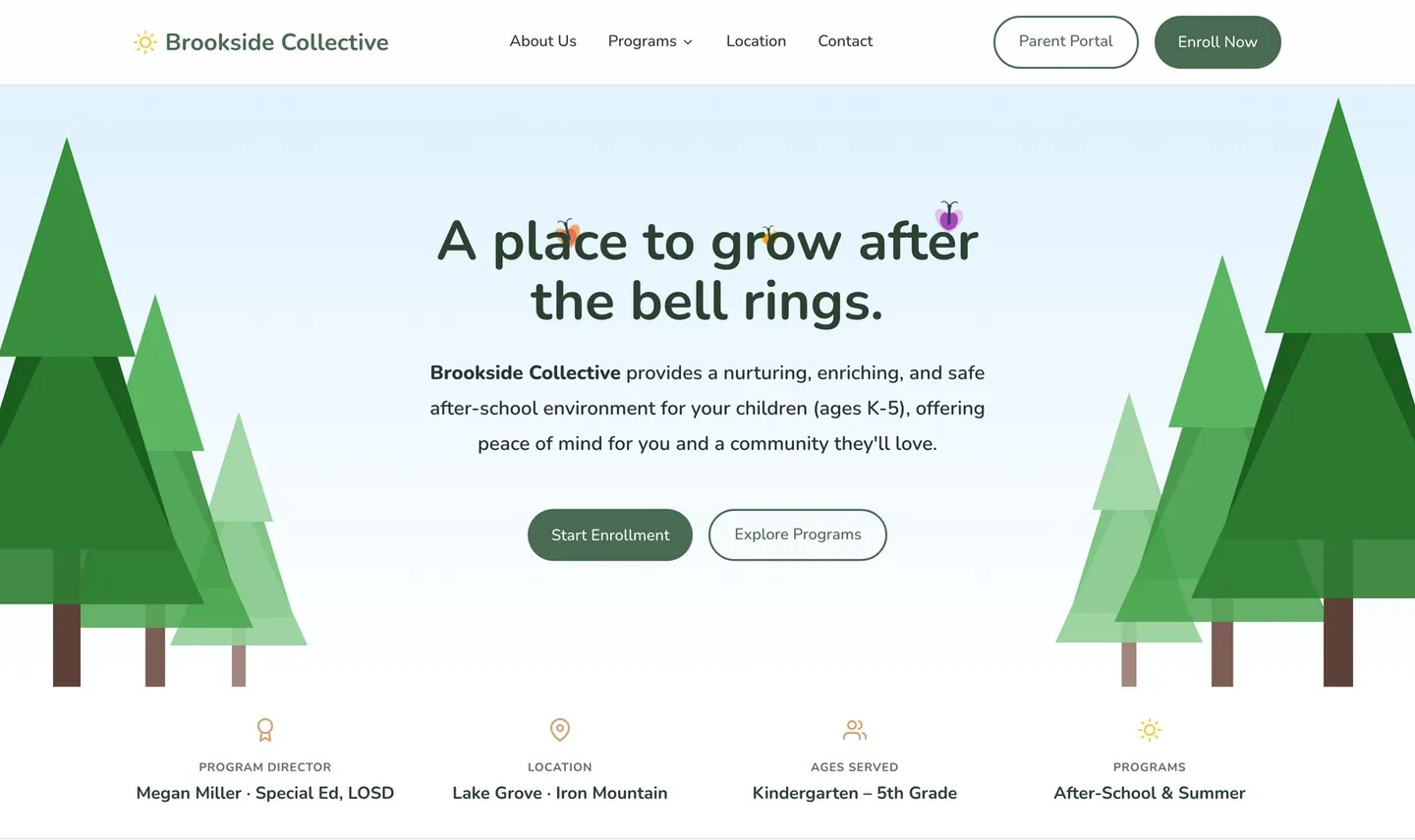
Because this is childcare, a custom illustration style carries the site, posts, ads, and social without ever showing a real child’s face.

Behind the marketing sits the product: an installable web app where parents book care days, follow updates, and pay invoices, and where staff run the roster, schedule, billing, pricing, and announcements from one admin.

Around it runs the local-search work almost no small business sustains by hand, so we designed and built Brookside a bespoke AI system to carry it. Three times a week it writes, illustrates, and queues a Google Business Profile post for review. It rotates its own subjects, cites an official source for anything time-sensitive, and never publishes without a person’s approval. It’s no off-the-shelf auto-poster: it’s grounded in Brookside’s brand and data and runs on the portal’s own infrastructure. We automated the labour and kept the judgment.

Results: The manual scheduling, invoicing, and check-in spreadsheets are gone, replaced by one app serving prospective families, enrolled parents, and staff. Around it, an AI content engine runs the local growth loop itself for about $2 a month in model costs, and a tight-radius Google Ads campaign turned about $110 into ~180 clicks at ~$0.61 each.
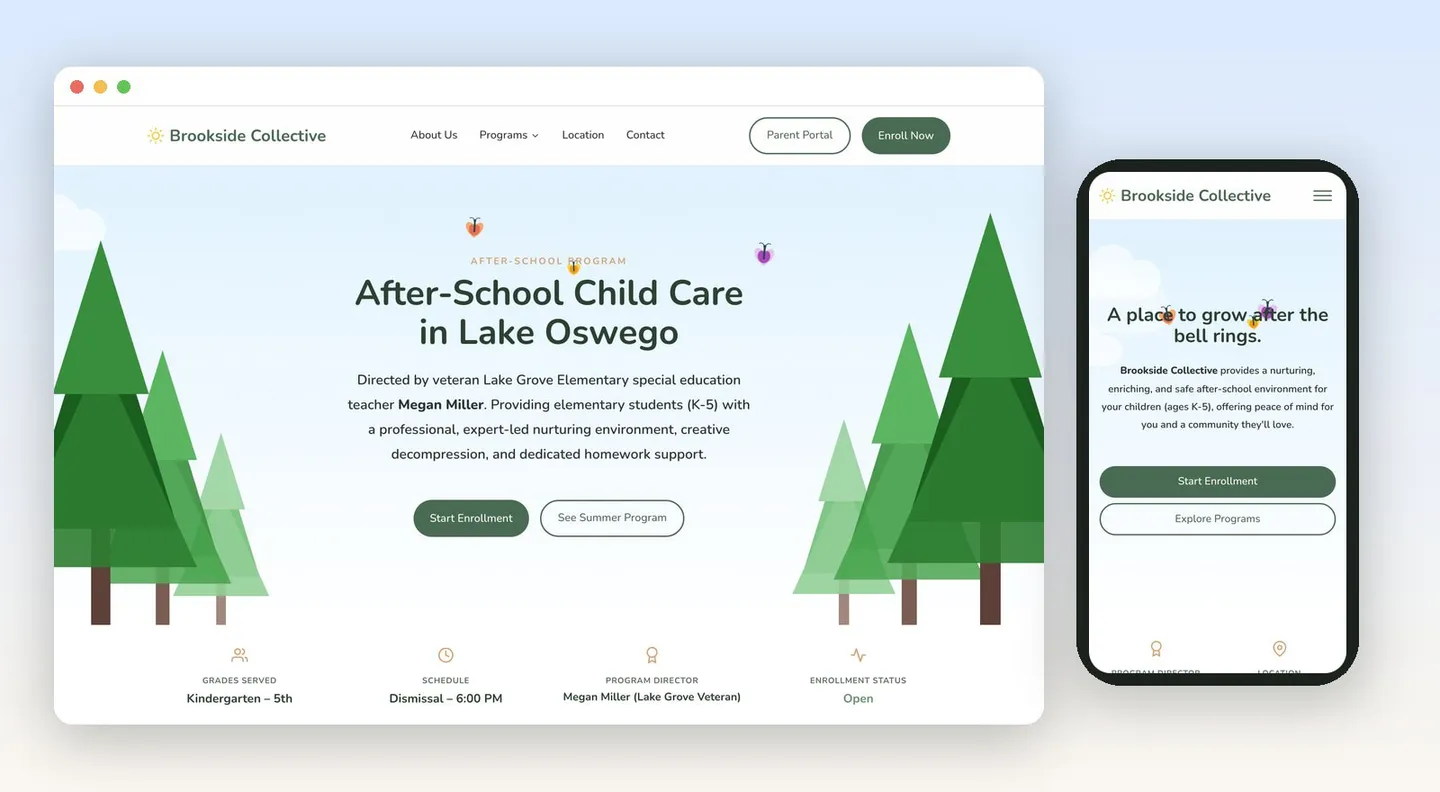
The After-School Child Care program page on desktop beside the mobile homepage, with a soft sky gradient, forest illustration, and clear local-intent headlines for Lake Oswego K–5 families
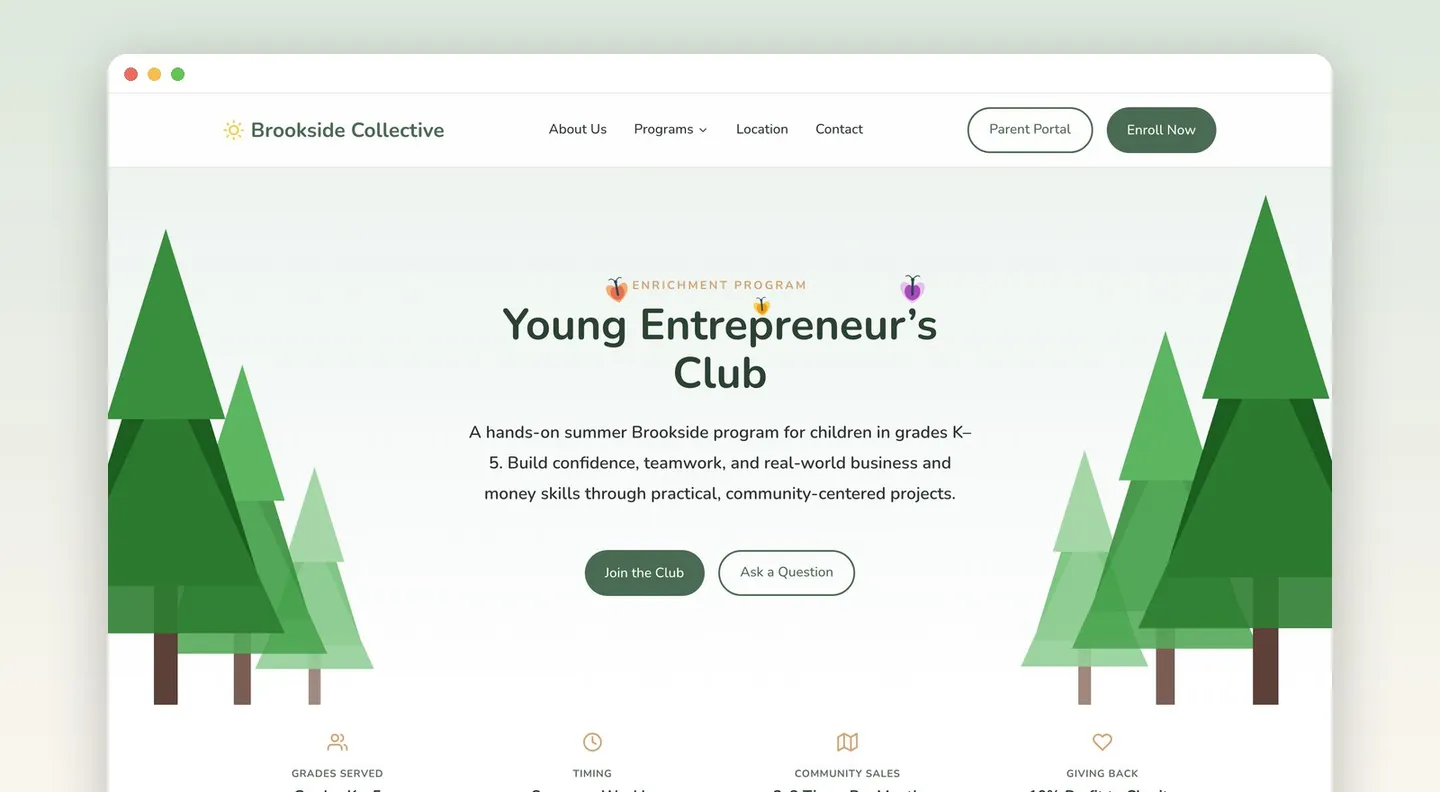
The Young Entrepreneur's Club landing page for a hands-on summer enrichment program with community sales 2–3 times per month and 10% of profit to charity
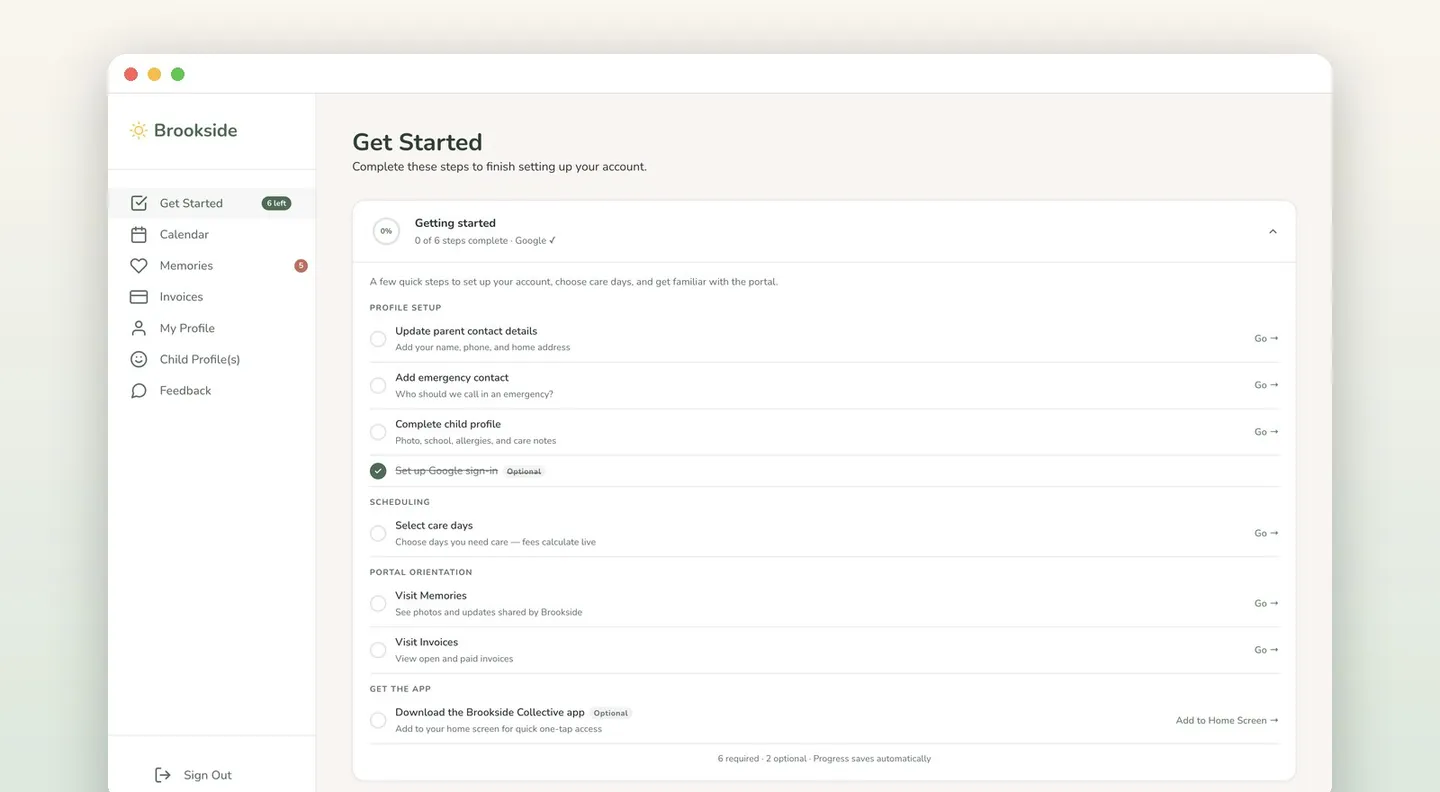
The parent portal's guided onboarding checklist: profile setup, emergency contact, care-day selection, and portal orientation, each auto-completing from real account state
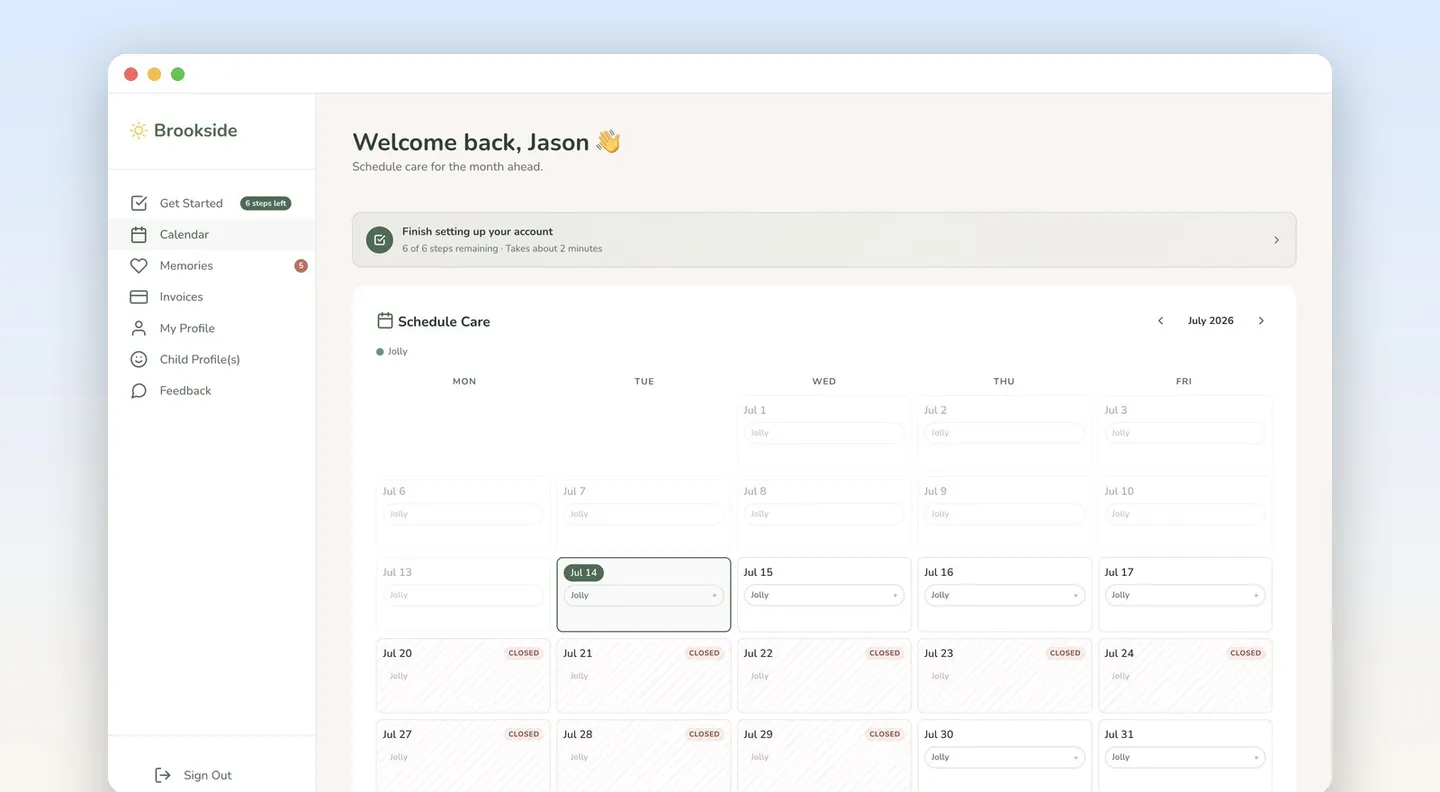
The parent portal calendar, where parents pick care days for the month ahead and estimated fees calculate live, with closure days marked
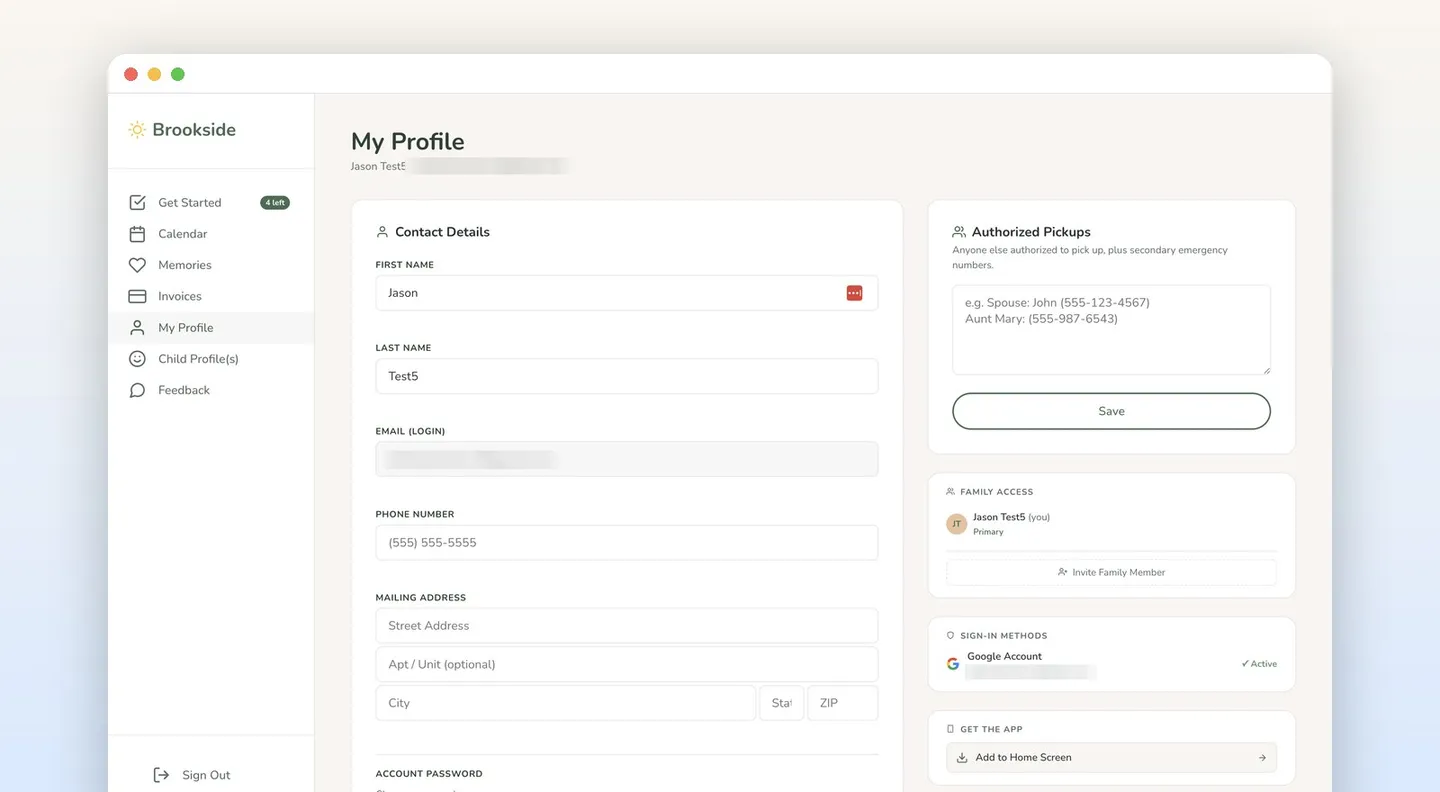
A parent profile in the portal: contact details, authorized pickups, family access with invites, and Google sign-in, plus add-to-home-screen for the installable app
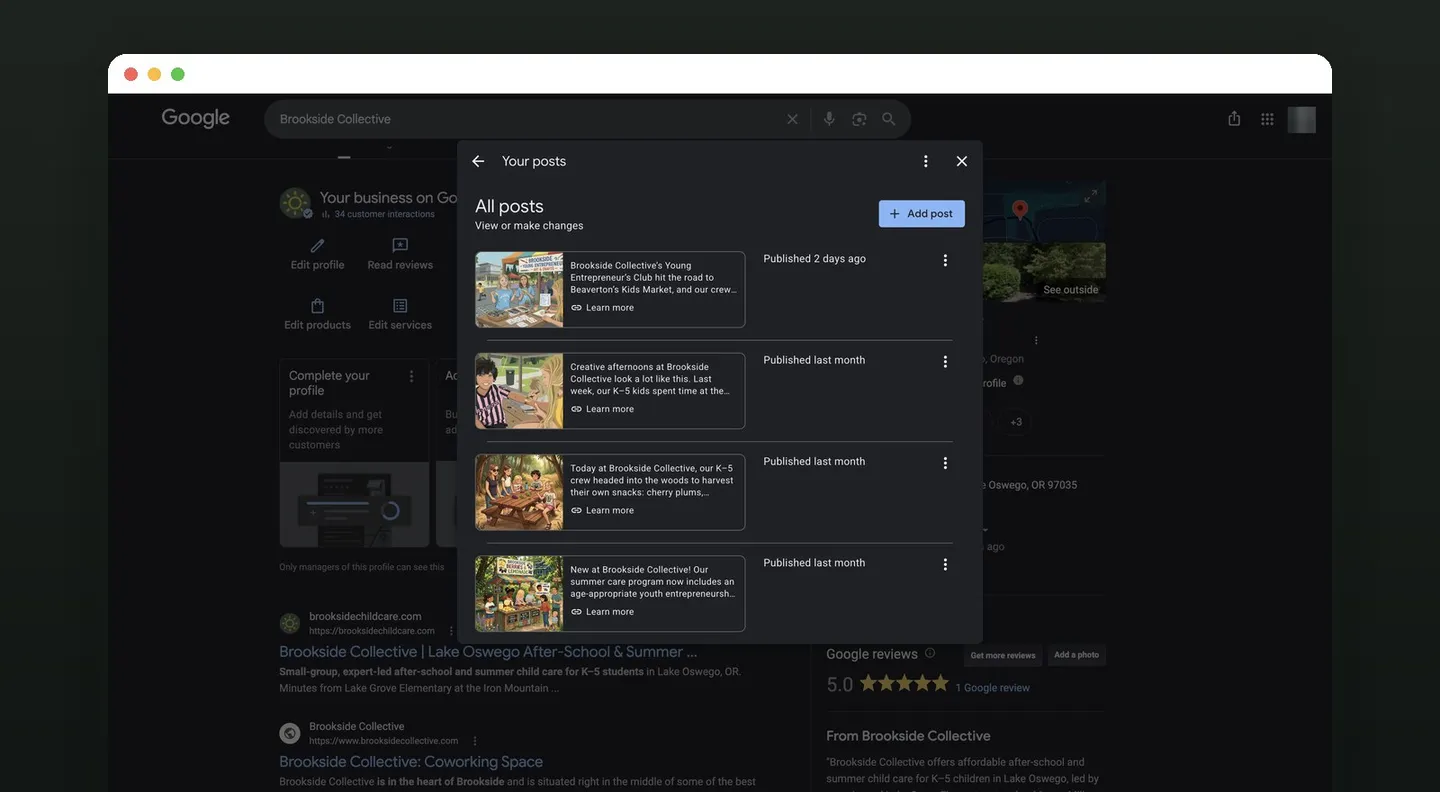
Brookside's Google Business Profile with illustrated program-day posts, a 5.0 rating, and the site ranking for Lake Oswego after-school and summer care
A few pieces from the work
The full story

Case study details

The site, the app, the AI content engine we built for them, and the privacy-first creative system behind it all.

The engagement

The program was strong; the digital side wasn’t keeping up. Scheduling, invoicing, and check-in ran on manual spreadsheets, and the marketing had to reach Lake Oswego parents searching for after-school care.

The brief: make the digital presence as calm and trustworthy as the program, and have it do real operational work. Two constraints shaped the build: one system had to serve prospective families, enrolled parents, and staff, and because this is childcare, the creative could never rely on photos of children.

The website

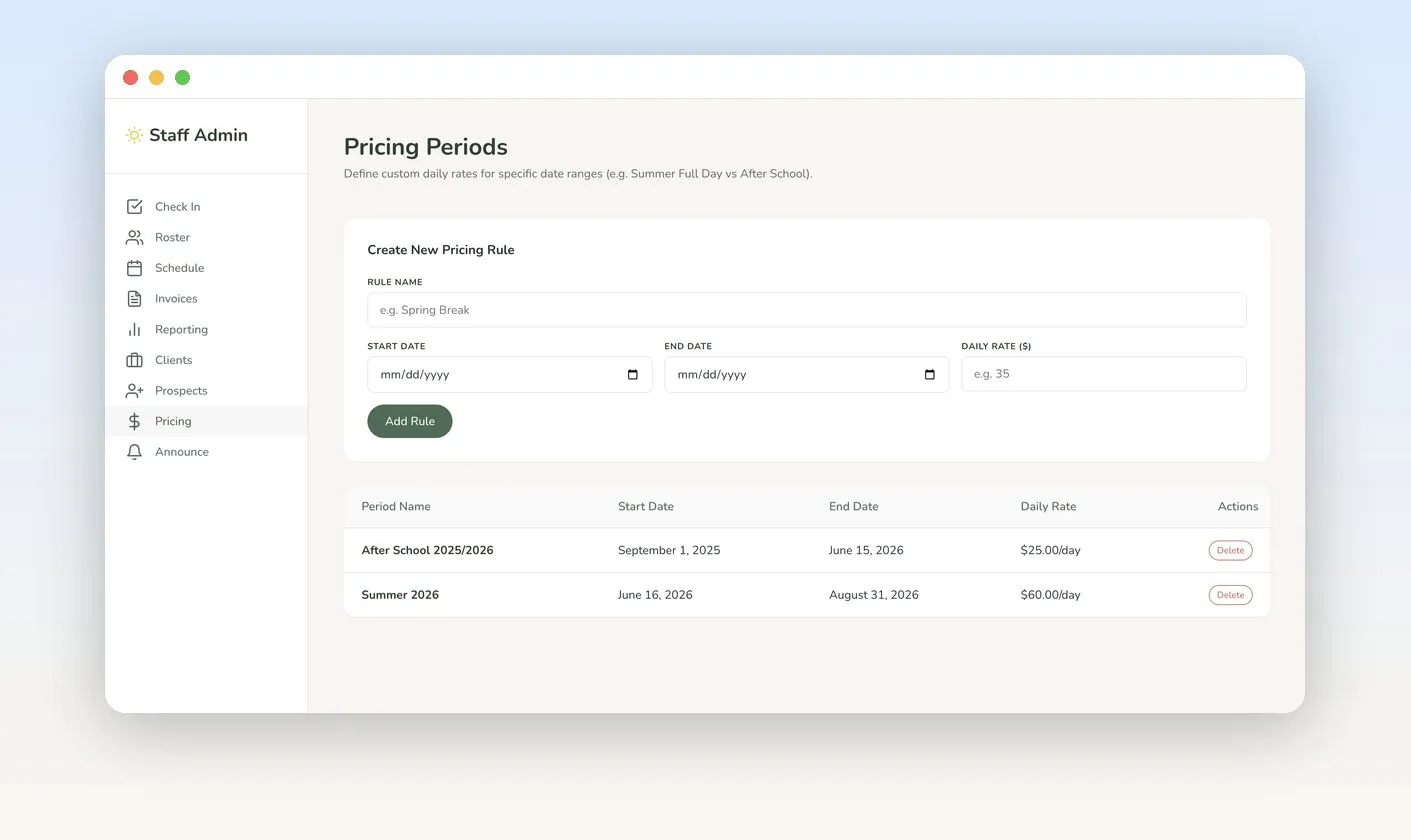
The site carries Brookside’s masthead look (soft sky gradient, forest illustration, rounded warmth) into a full design built around how parents decide. After-School Care, Summer Care, and the Young Entrepreneur’s Club each get a page with who it’s for, a typical day, transparent pricing ($25/day after-school, $60/day summer), and SEO/AEO-ready FAQs for what Lake Oswego parents search.

The illustration system

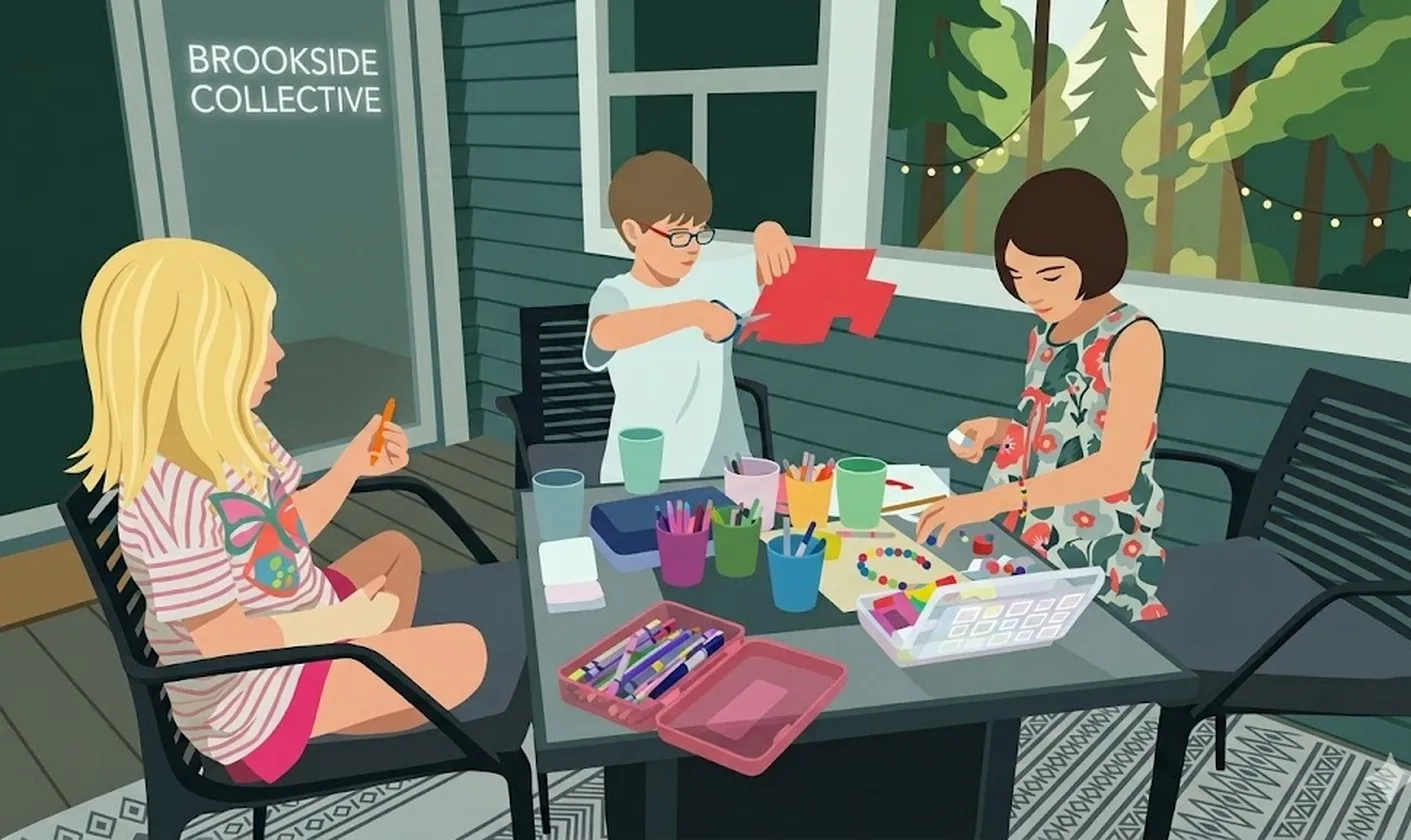
Privacy shaped the creative system itself: a custom illustration style tells warm, specific stories of program life (projects, story time, creek play, market stands) without ever showing a real child’s face. It carries the website, Google Business Profile posts, ads, and social as one brand.

The parent portal

The product is an installable progressive web app built on Supabase auth and Postgres, Stripe billing, and Vercel. In the portal, parents:

  • Pick the month’s care days on a calendar, with live fee estimates and closures marked.
  • Follow Memories updates, manage child profiles and authorized pickups, and invite family members.
  • Sign in with Google, add the app to their home screen, and download invoices and receipts.
  • Start with a guided onboarding checklist that deep-links each task and auto-completes from real account state.
The admin console

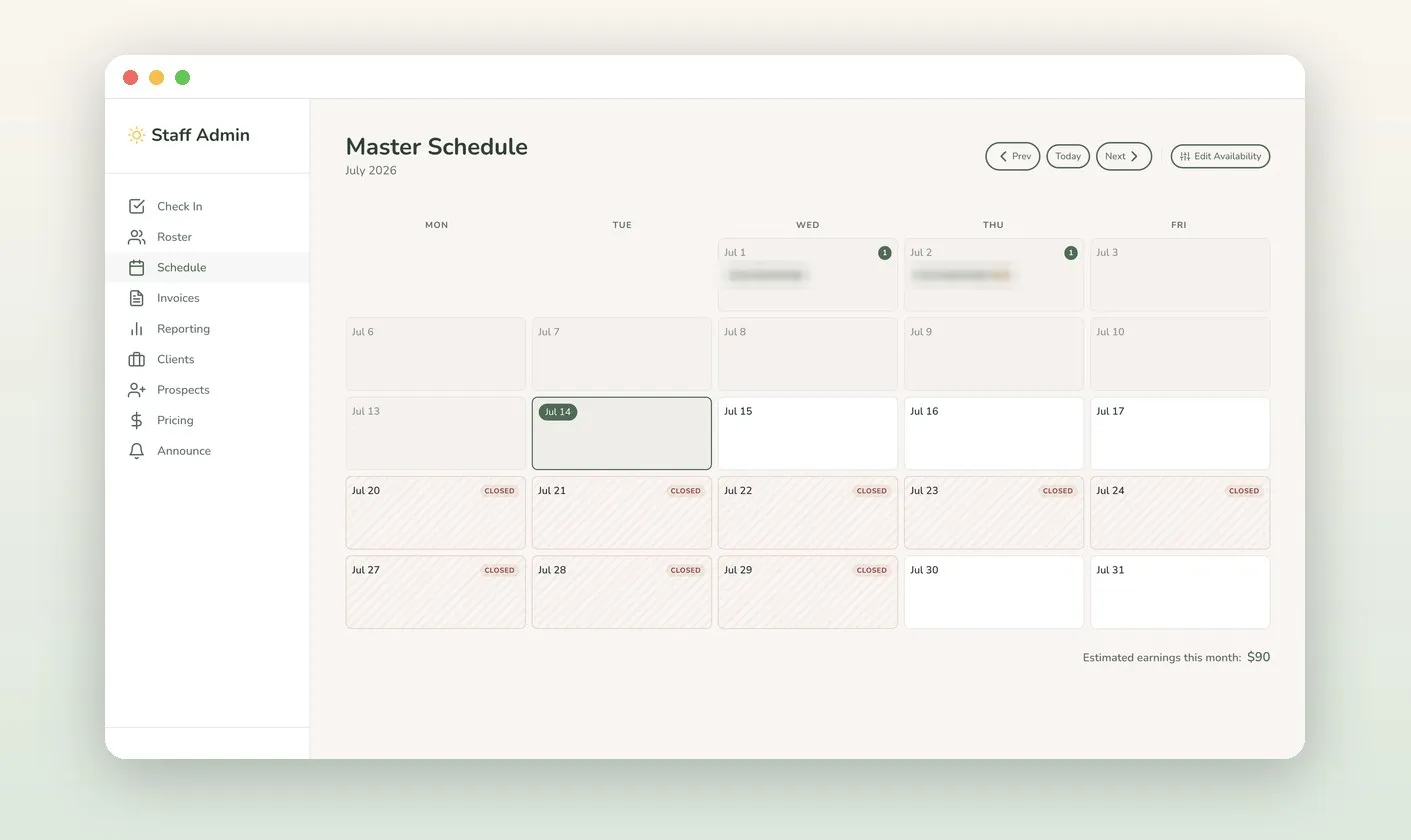
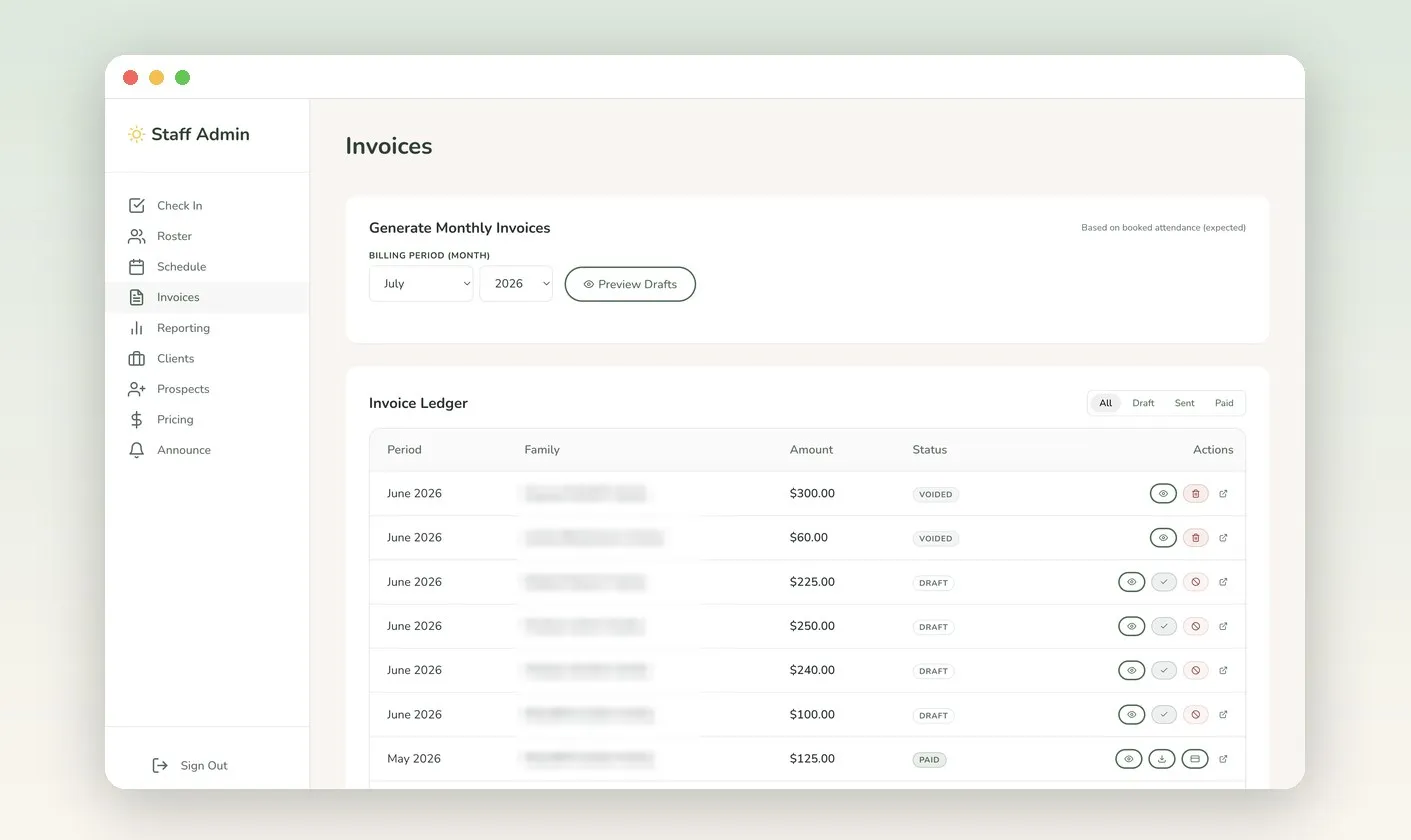
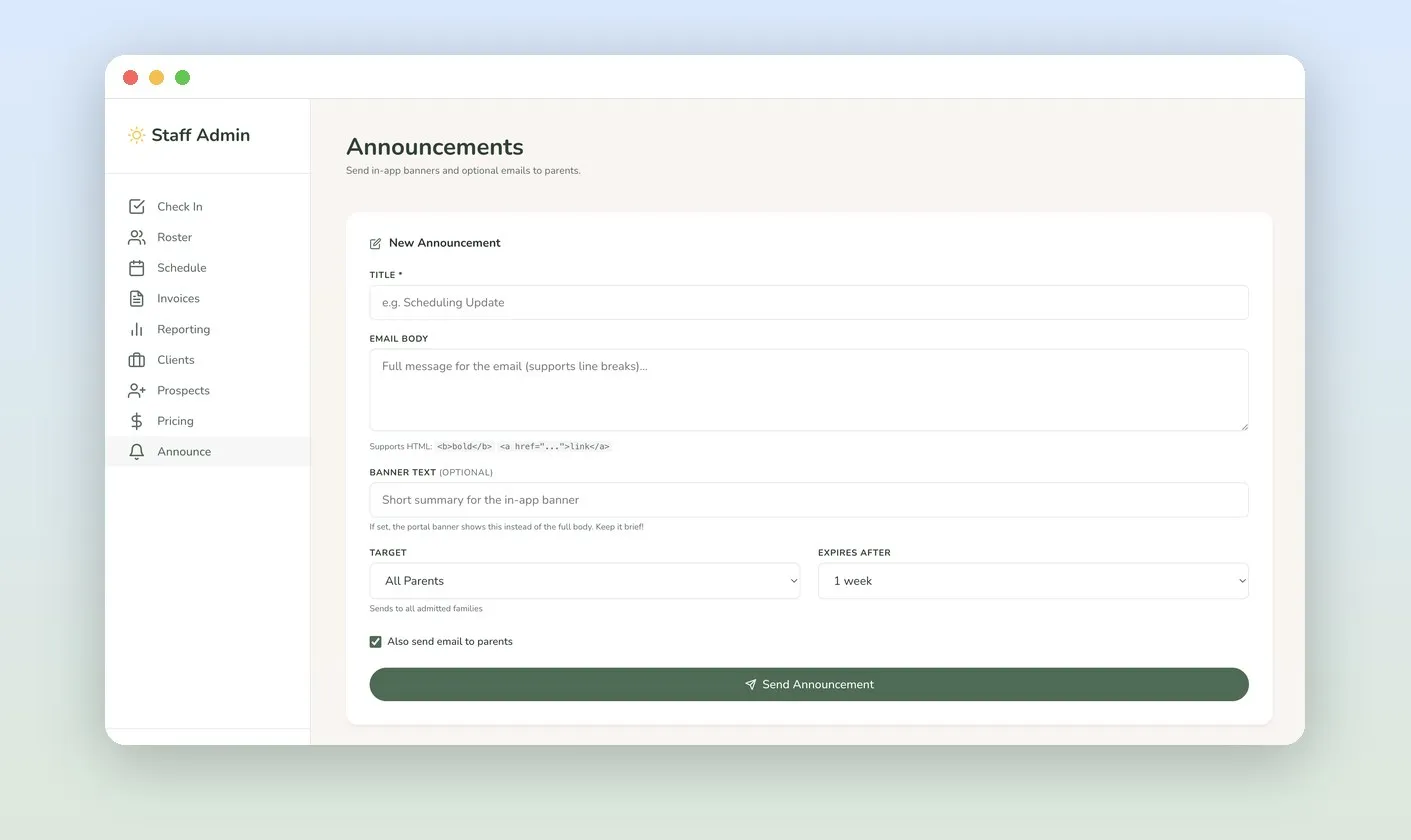
Staff run everything from one admin: the roster, prospects, and a master schedule that rolls every family’s care days into one month grid. Monthly invoices generate from booked attendance in one click, with downloadable receipts for tax records. Seasonal rates are date-range pricing rules, so the calendar, fee estimates, and invoices always agree. One composer posts targeted, expiring portal announcements, with optional email to every admitted family.

The content engine

Local search rewards businesses that post consistently. Almost nobody does, because the work is real: think of something to say, write it, make an image, publish it. Every few days, forever. So we designed and built Brookside a bespoke AI system that automates the labour and keeps the judgment.

Three times a week it writes a Google Business Profile post, illustrates it in Brookside’s style, and queues it for review. It runs on the portal’s existing infrastructure (a scheduled Postgres job calling serverless functions): no new platform, no subscription, and about $2 a month in model costs.

Plenty of tools auto-post to a Business Profile. What sets this one apart is four constraints, each addressing something generic content bots get wrong.

It rotates its own subjects

Posts rotate through three lanes: a Brookside activity story, an evergreen Lake Oswego place worth knowing, or something timely like a school-calendar milestone or fundraiser. Code picks the lane, not the model, because a model left to choose drifts self-promotional within a month. Rotation keeps the profile a neighbourhood resource, not an ad feed.

It refuses to guess

The timely lane can do damage: a wrong Back to School Night date misinforms the very parents a childcare profile exists to reach. So those posts search a fixed allowlist of official sources (the school district, the schools foundation, the city, Parks & Rec), and every date, time, or place must cite one. If nothing checks out, the system writes something evergreen instead of inventing a detail. It would rather say “the district calendar has the dates” than name a date, so a post stays true if the school reschedules.

Staff describe a day; it does the rest

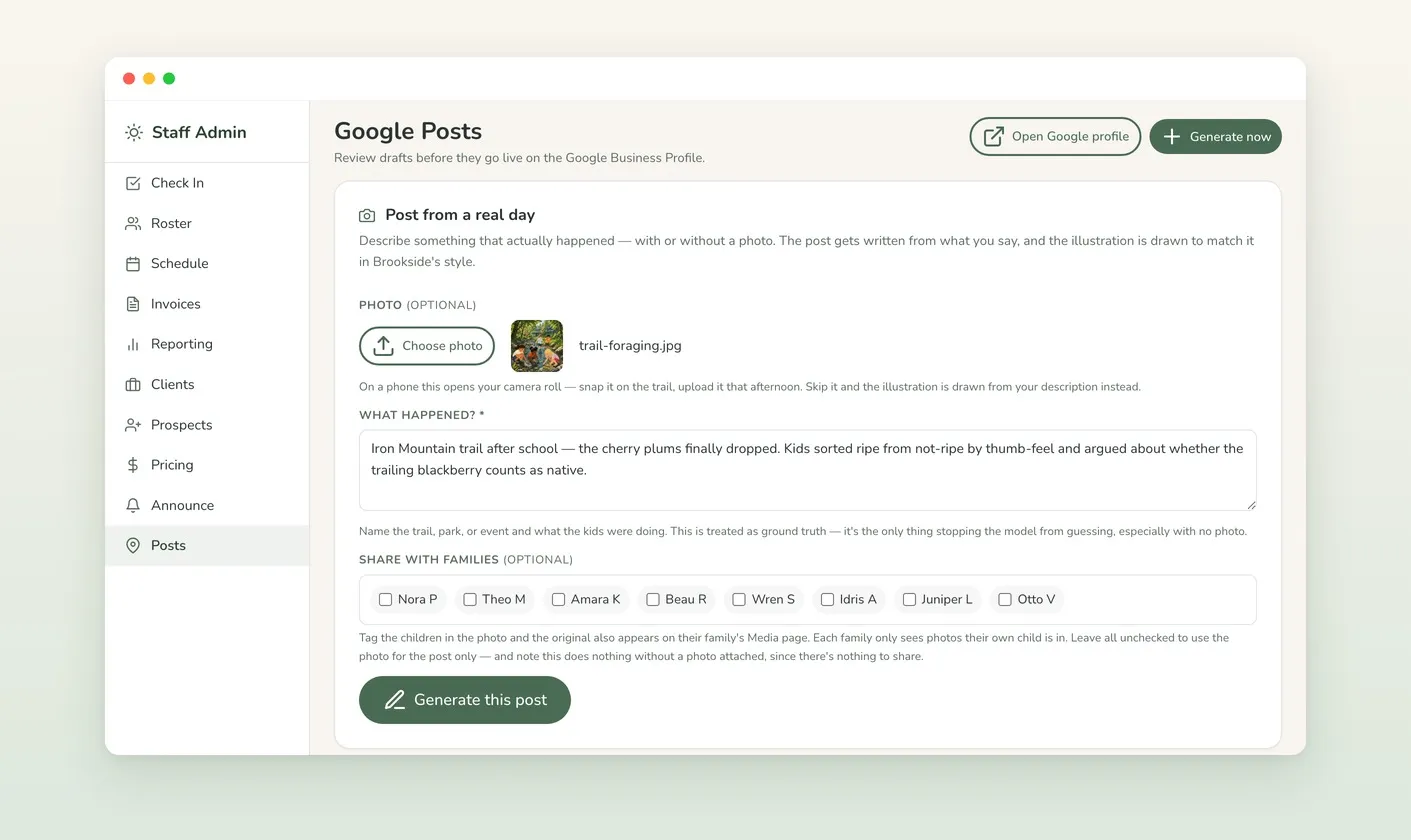
The best posts come from staff, not a model picking topics. Someone writes two sentences about what happened (the cherry plums finally dropped; the kids argued about which blackberry is native), and the system turns them into a post and a matching illustration. A photo is optional: with one, the scene is recreated from it; without, it’s drawn from the description. Tag the children in a photo and the original also lands on their families’ portal Media page, so one upload does double duty.

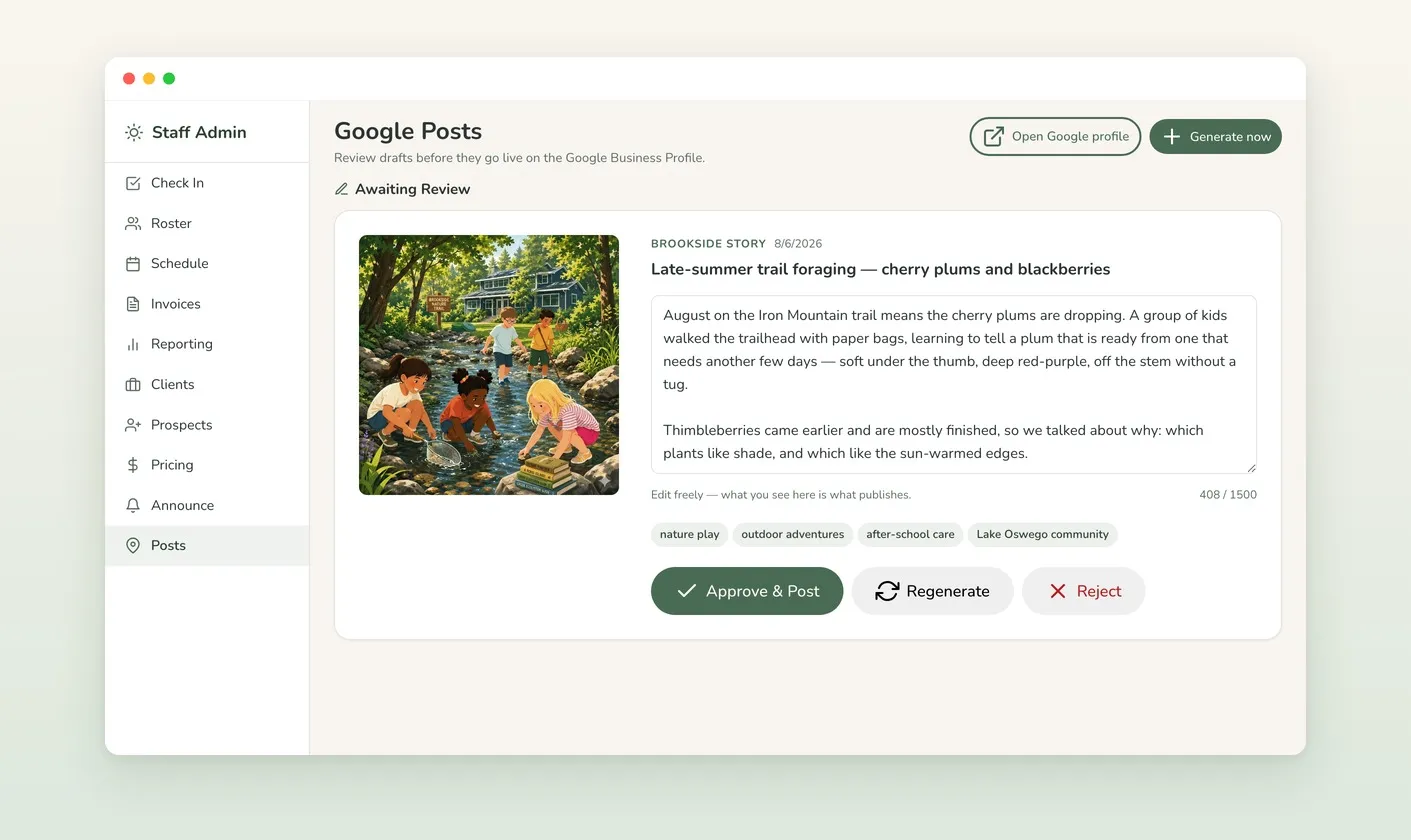
When a photo is used, the illustration is explicitly forbidden from reproducing any child’s likeness: the activity and composition carry over, the people don’t. The source photo sits beside it in the review queue, so a person verifies that.

A human still approves everything

Nothing publishes on its own. Drafts wait in the admin with editable copy, a live character count against Google’s limit, and sources listed for anything time-sensitive. Approve, regenerate, or reject. The automation removes the labour, not the editorial call.

The Young Entrepreneur's Club

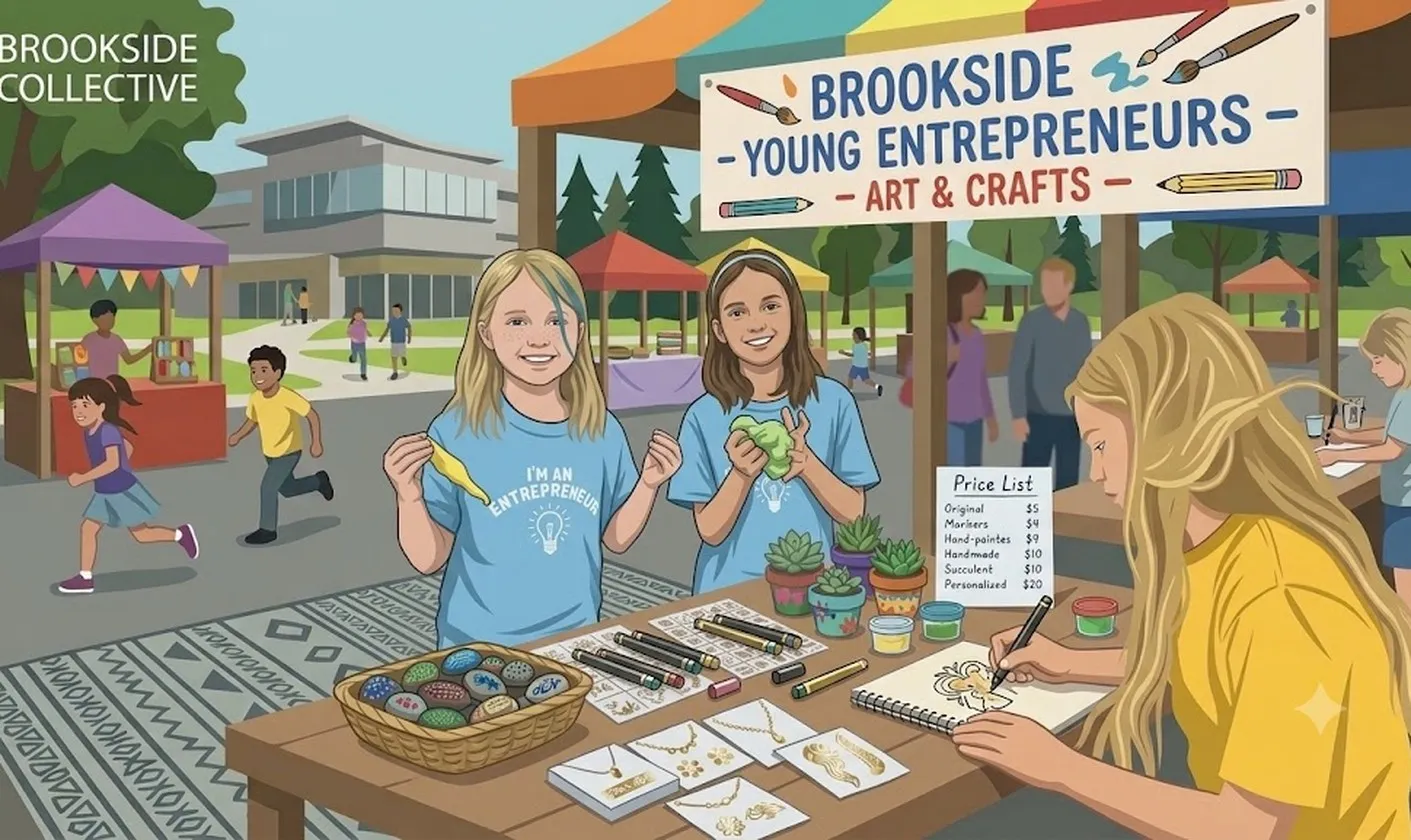
The Young Entrepreneur’s Club is program strategy as differentiation: hands-on entrepreneurship for K–5 kids. Real products, real pricing, real customers. It runs as summer enrichment, with community sales two to three times per month and 10% of profit to charity.

The crew did market research at local parks, designed their own signage, set their own prices, and ran a booth at Beaverton’s Kids Market while parents only observed. Drawn in the brand’s privacy-first style, that story now powers the program’s landing page and local content.

Results

The manual scheduling, invoicing, and check-in spreadsheets are gone, replaced by one installable app. Prospective families go from search to inquiry to enrollment on the site; enrolled parents book care days and pay invoices in the portal; staff run the roster, schedule, billing, and announcements from one admin.

Around the product sits a local growth engine that now runs itself: a Google Business Profile with a 5.0 rating, publishing illustrated, fact-checked updates three times a week for a human to approve. Search Console is wired for query insight, and a tight-radius Google Ads campaign turned about $110 into ~180 clicks at ~$0.61 each with an Excellent strength rating. The site ranks for Lake Oswego after-school and summer care.

The consistency local search rewards is what most small businesses can’t sustain by hand. Here it costs about $2 a month in model usage and a couple of minutes of review, and the one thing never automated is the decision to publish.

Behind the scenes

The operating layer behind the calm

Under the parent-facing surface sits a real operations console. Scheduling, invoicing, pricing rules, announcements, and the bespoke AI content engine we built for them all run from one admin. A privacy-first illustration system lets Brookside tell warm visual stories without ever showing a real child's face. Family details in these screens are blurred or replaced with placeholder names; the illustrations need neither. That's the point.

The admin master schedule: a month grid of booked care days, closures, and edit-availability controls
01 one master scheduleEvery family's selected care days roll up into one month grid, with closures and availability edited in place. No spreadsheet juggling.
The admin invoice ledger: monthly invoices generated from booked attendance, with draft, sent, paid, and voided states
02 invoices from attendanceMonthly invoices generate from booked attendance in one click, then move through draft, sent, and paid, with receipts parents can download for tax records.
Pricing period rules in the admin: After School at $25 per day and Summer at $60 per day, each bound to a date range
03 pricing as rulesSeasonal rates are date-range rules ($25/day after-school, $60/day summer), so the calendar, fee estimates, and invoices always agree.
The announcements tool, a composer that sends in-app portal banners and optional emails to all parents
04 announcements, onceOne composer posts an in-app banner and optionally emails every admitted family. Targeted, expiring, and done in a minute.
Illustrated Young Entrepreneur's Club booth at the Beaverton Kids Market, with kids selling hand-painted rocks and crafts behind their own price list and banner
05 the kids market, illustratedThe Beaverton Kids Market activation, drawn in the brand's privacy-first style. The crew designed the signage, set the prices, and ran the booth themselves while parents only observed.
An illustrated Brookside summer scene: three kids doing crafts at a porch table, scissors and beads out, forest through the window
06 stories without facesThe same system carries Google Business Profile posts, ads, and social: warm, specific scenes of real program days, drawn so no child is ever identifiable.
The Posts tab in the admin: a staff note describing an afternoon on the Iron Mountain trail, an optional photo, and checkboxes to share the original with the families whose children appear in it
07 describe the day, onceStaff write two sentences about what happened. A photo is optional: snap one on the trail, or skip it and the scene is drawn from the description. Either way it becomes a post and a brand-style illustration.
A generated draft awaiting review: illustration, editable post copy with a live character count against Google's limit, tags, and approve, regenerate, and reject actions
08 nothing posts unreviewedEvery draft waits for a human. The text is editable in place, the illustration sits beside it, and nothing reaches the Business Profile until someone approves it.
Actual pages from the working files, with family details blurred or replaced with demo data