


Most of the small businesses we meet are running about a dozen subscriptions. A site on one platform, a funnel on another, email somewhere else, a form tool, a scheduler, a course host, a pipeline tracker. Each one arrived to solve a real problem. None of them share a customer record.
The monthly total is usually the smaller cost. The larger one is that nobody can answer a simple question (who bought twice, who opened the last three emails and never replied) without exporting spreadsheets and joining them by hand.
There is another way to build now, and it has only been practical for a few years. We call it the lean stack.
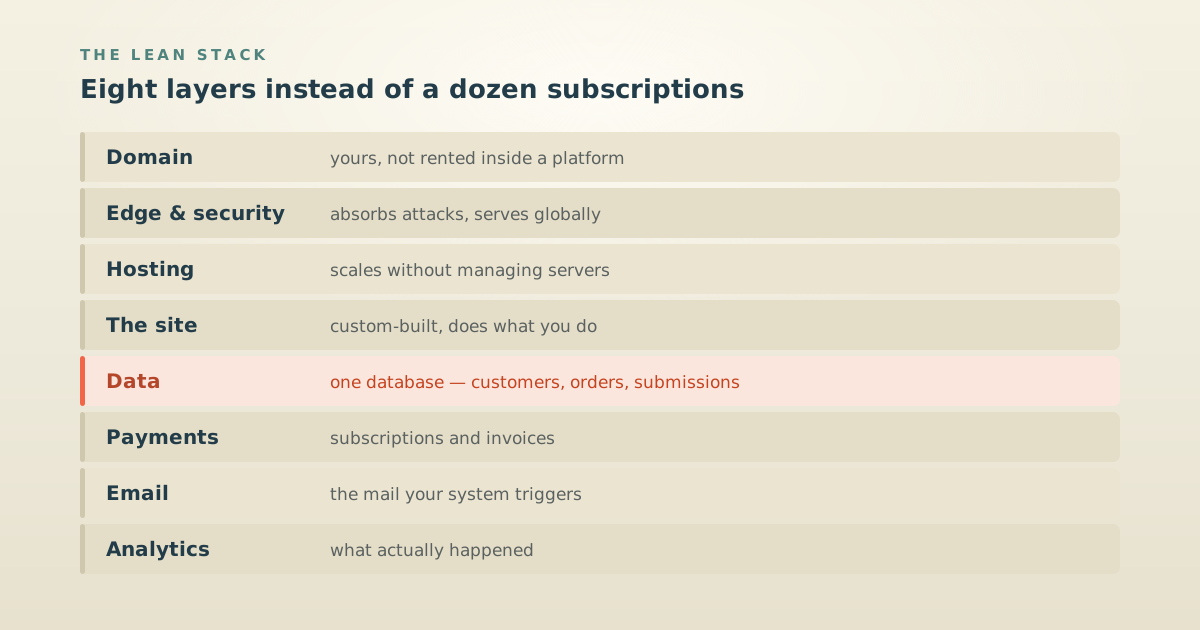
The eight layers
That is the whole thing. Most of it you set up once and never think about again.
| Layer | What it does |
|---|---|
| Domain | Yours, not rented inside a platform |
| Edge & security | Sits in front of everything, absorbs attacks, serves globally |
| Hosting | Runs the site, scales without you managing servers |
| The site | Custom-built, so it does what your business does |
| Data | One database holding customers, orders, submissions |
| Payments | Takes money, handles subscriptions and invoices |
| Sends the transactional mail your system triggers | |
| Analytics | Tells you what actually happened |
We build ours on Cloudflare at the edge, Vercel for hosting, Supabase for data, Stripe for payments, and Resend for email. Each is reviewed honestly on the toolkit shelf, including what it’s bad at.
The layers are not the interesting part, though. The interesting part is what one database in the middle lets you stop paying for.
What it consolidates
One build we did replaced a sales pipeline tool, an email automation platform, a form and assessment add-on, a course and video host, and a separate marketing site: five subscriptions, five logins, five places a customer’s details were half-stored.
To be clear: it is not that those tools are bad. We recommend tools in every one of those categories, and we are affiliates for several of them. A specialized tool doing work nothing else can do earns its subscription every month.
The claim is narrower and duller: maybe not this many. Four tools that each solve a fifth of the same problem, none of which share a customer record, is a tax you pay in fees and again in the hours somebody spends every week keeping them in sync.
What it costs
The build is real money up front, and the running costs are usually small enough to be surprising.
Every layer above has either a generous free tier or usage-based pricing that stays near zero until you have real volume. For most small businesses we build this for, the domain renewal ends up the largest recurring line on the bill. That is not a promise (your volume decides it), but it is the common case, and it inverts the usual arithmetic where the software costs more each month than the accountant.
The trade is straightforward. You spend once on the build instead of monthly on rent, and in exchange you carry the responsibility of owning the thing.
When you should not do this
We would rather talk you out of it than sell you the wrong build, so:
If your team needs to change everything themselves, don’t. Restructure pages, add a section, change how a form behaves, all without calling a developer. That is a real requirement, platforms serve it well, and a custom build makes it harder, not easier. This is the same reason we still build a lot of WordPress sites and think it is often the right call.
If you are still working out what you sell, don’t. Pre-product-market-fit, flexibility beats ownership. Rent everything, change your mind cheaply, and build when the shape of the business stops moving.
If it is working, don’t. A stack nobody is fighting is not a problem that needs solving. The businesses this helps are the ones already paying somebody to keep four tools talking to each other.
What it looks like when it works
Michel Peruch’s build is the clearest example we can show. In seven days it went live with a brand, a site, an AI business diagnostic at the front door, a mini-CRM staging every lead from New through Won, and email sequences carrying prospects forward, all run from one admin, on one database.
The diagnostic is the part worth noticing. A visitor answers fifteen questions and gets a scored report written for their answers. That is not a feature you can buy as a subscription; it exists because the quiz, the scoring, the report, and the pipeline are all the same system talking to itself.
We also did it to ourselves. This site runs on the same stack, and we wrote up the whole rebuild, including the part where our own site scored a C− and one of our fixes made things measurably worse.
Where to start
Not with a rebuild. Start by writing down what you pay for and what each one is for. Most people find two or three they forgot they were buying.
From there, two free things that need no account:
- The Website Analyzer grades what you have now (speed, machine-readability, accessibility) in about thirty seconds.
- The Launch Planner maps the sequence if you are heading toward a new or rebuilt website. There is a template for exactly that, alongside ones for other launch types.
And if you want the honest read on any individual tool before you commit to it, that is what the toolkit is for, including who should skip each one.