


Most keyword research advice starts by recommending a $99/month tool. That’s a fine place to end up, and a terrible place to start, because the most useful data about what your audience searches is sitting in a free Google account you probably already have.
Here’s how to do it properly, in the order that makes sense.
Step 1: Start with what you already rank for
Before hunting for new keywords, find out which ones are already sending you people. Google Search Console is free, and its Performance report lists the literal queries that put your site in front of someone, including the ones where you’re sitting at position 11 or 12.
That list is the highest-value thing in this entire article. A phrase where you already rank on page two is a phrase Google has already decided you’re relevant for. Improving that page is dramatically easier than earning a new ranking from nothing.
Sort by impressions, look for anything ranking between roughly 5 and 20, and start there.
Step 2: Learn how people actually phrase it
You know your business in your own vocabulary. Your customers don’t use it. A studio might sell “brand identity systems” while every prospect searches “how much does a logo cost.”
Two free ways to close that gap:
- Google’s autocomplete. Start typing your topic and read the suggestions. Those are real queries, ordered by real popularity.
- The “People also ask” box. Search your topic, then read the questions Google volunteers. Expanding one generates more. This is Google telling you, directly, what else people wanted to know.
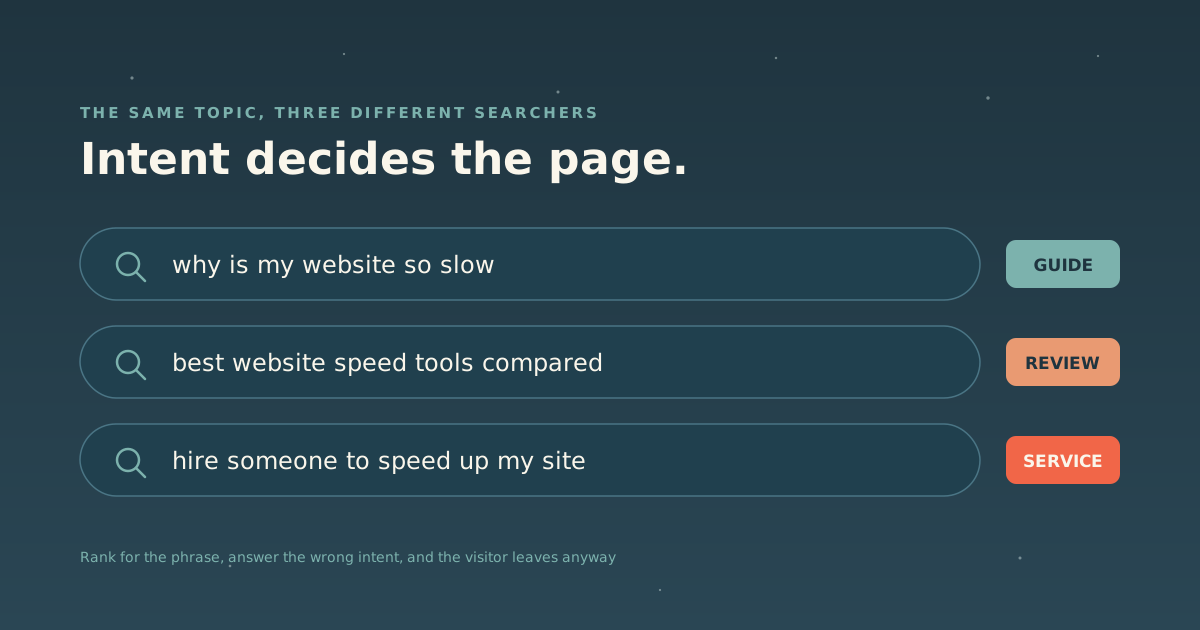
Write down the phrasing verbatim, including the awkward ones. “Why is my website so slow” is a real search; “website performance optimization” is how a vendor would say it.
Step 3: Judge intent before volume
Every search carries an intent, and it’s usually one of three:
| Intent | What they want | What should rank |
|---|---|---|
| Informational | To understand something | A guide or explainer |
| Commercial | To compare options | A comparison, review, or roundup |
| Transactional | To buy or hire | A service or product page |
This is where most keyword strategies quietly fail. If you write a sales page for a phrase whose searchers want to learn, you can rank and still convert nobody. And in practice you usually won’t rank either, because Google can see what kind of page satisfies that query and yours isn’t it.
The quickest test costs nothing: search the phrase and look at what’s ranking. If page one is all tutorials, that’s an informational query, and no amount of optimization will make your pricing page the right answer.
Step 4: Weigh competition, not just volume
The number that seduces everyone is monthly search volume. The number that decides whether you get traffic is how hard the phrase is to win.
A phrase with 200 searches a month that you can realistically rank for is worth more than one with 20,000 where you’ll land on page three forever. The overwhelming majority of clicks go to first-page results, so ranking eleventh for a popular term is, for practical purposes, ranking nowhere.
Signals that a phrase is winnable without paying for a difficulty score:
- Page one includes forums, thin content, or dated posts.
- The ranking pages don’t answer the question well.
- You have real, specific expertise or a case study the incumbents lack.
Signals it isn’t: page one is Wikipedia, major publishers, and companies with hundreds of times your domain authority. Pick a more specific phrase instead: “keyword research” is unwinnable, “keyword research for a local service business” might not be.
Step 5: Check what the AI assistants say
This step didn’t exist a few years ago and now belongs in every keyword workflow.
Ask ChatGPT, Claude, or Google’s AI overview your target question and read the answer. Two things matter: whether it cites anyone (and who), and whether the answer is good enough that nobody will click through to a website at all.
If a question gets fully answered by an assistant, ranking first for it is worth much less than it used to be. If the assistant is citing sources, then being one of those sources is the goal. That’s a different job than classic SEO, and the one we’ve written about as answer engine optimization. It rewards plain-language answers, structured data, and content a machine can parse without executing JavaScript.
Step 6: Pick one phrase per page, then optimize for it
Once you’ve chosen, the on-page work is mechanical and we’ve documented it separately: how to optimize a blog post for SEO walks through the title tag, meta description, body copy, images, and linking, step by step.
One phrase per page. Two pages targeting the same keyphrase compete with each other, and Google picks one, usually not the one you’d have chosen.
The honest tool list
Free, and enough to start:
- Google Search Console: the real queries your real site already ranks for.
- Google autocomplete and “People also ask”: how humans phrase things.
- Google Analytics: what visitors do once a keyword brings them in, which is the part keyword tools can’t tell you.
- AI assistants: for the step above.
Paid, once you’re publishing consistently: Ahrefs and Semrush both do the same core job (competitor visibility, difficulty scoring, and backlink data), and either is a reasonable choice. Neither is on our toolkit, because we don’t have a relationship with either one and we’d rather say that plainly than pretend a recommendation. They’re worth the money when you’re competing deliberately and want to know what’s working for the sites beating you; they’re an expensive way to feel productive before that.
The part nobody wants to hear
Keyword research tells you what to write about. It doesn’t write anything worth reading, and it can’t make a page authoritative on a subject you don’t know. The pages that win are the ones where someone had genuine expertise and the keyword research merely aimed it.
If you want to see how the aiming works in practice, we graded our own site, published the C−, and rebuilt around exactly this logic.